






Canada Post's peak season started on November 2 and runs until January 10, 2027. For most online stores, it's also when a wrong shipping quote at checkout costs the most. If checkout charges too little, you pay the difference on every order, and if it charges too much, some people leave without buying.
Here's what changes during peak season, where we see checkout quotes go wrong most often, and what we'd test before the busiest weeks.
What Changes During Peak Season
Canada Post sent its business customers a peak season notice with three changes for items mailed between November 2, 2026 and January 10, 2027:
- The surcharge for Oversize and Unpackaged items goes up from $21 to $30.
- The surcharge for Out-of-spec items goes up from $300 to $400.
- Late delivery guarantee claims for Priority, Xpresspost and Expedited Parcel within Canada are only honoured if the item arrives two or more business days late.
An item counts as Oversize if any side is over 1 m (39.4 in), or if its second-longest side is over 76 cm (30 in). Out-of-spec means it's past Canada Post's maximum limits: 30 kg, 2 m in length, or 3 m for length plus girth. If you sell furniture, rugs, sports gear or anything long and flat, a few of your products are probably close to these limits.
Purolator runs its own peak surcharges too. Last season, its peak surcharge list added $6 per piece for oversized items and $55 per piece for large packages. Check with Purolator for this year's amounts if you ship with them.
Where Checkout Shipping Quotes Go Wrong
A live rate at checkout is only as good as the weight and size your store sends the carrier. When those are off, the quote is for a parcel that doesn't match the one you ship.
Missing or Wrong Product Sizes
Canada Post compares a parcel's real weight with its volumetric weight and bills whichever is higher. It also measures parcels once they're in its network and may add an adjustment to your invoice if the sizes don't match what you declared. So a light product in a big box can cost a lot more than checkout charged, especially if the product in your store has no dimensions at all.
Canada Post's own advice is to weigh and measure the packed parcel, and not to rely on the manufacturer's box sizes or weights. For a store, that means going through your heavier and bulkier products and entering the packed size and weight instead of the numbers from the supplier's spec sheet.
Weight Units That Don't Match
If your products are in pounds and your shipping setup expects kilograms (or the other way around), quotes can be off by more than double. We found this exact problem in our own Canada Post plugin this month: warehouses set to pounds and inches had their weights converted to kilograms twice, so the quotes came out low. A quick check is to add a product you know the packed weight of to the cart and compare the checkout quote with the carrier's own rate calculator.
Box Sizes Nobody Set Up
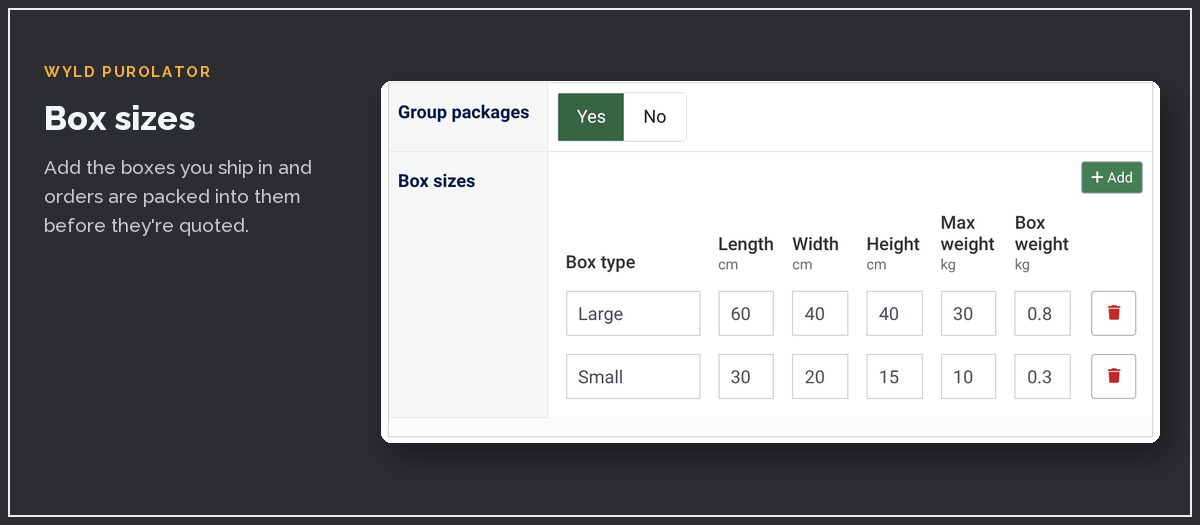
Most stores ship in a handful of box sizes. If your shipping plugin can pack orders into those boxes, set them up, so a three-item order gets quoted as the box you'd pack it in, instead of three separate parcels or one guessed size.
The Wrong Starting Postal Code
Rates are calculated from the postal code you ship from. If you've moved, started shipping from a second location or switched to a fulfilment warehouse, make sure your store knows. It's an easy one to miss, because quotes from the old postal code still look normal.
When the Carrier Doesn't Answer
Live rates depend on the carrier's servers answering while your customer waits. During the busiest weeks, those calls can be slow or fail. Depending on how your shipping plugin handles that, the customer might see an error, an empty list of shipping options, or a checkout that just hangs.
A customer who runs into any of those will usually leave. Set up at least one backup method, like a flat rate per region, and make sure checkout moves on to it when the live rate doesn't come back. The test list below includes a quick way to check it.
Selling on HikaShop in Canada?
Wyld Canada Post Shipping and Wyld Purolator Shipping now work with Joomla 5, Joomla 6 and HikaShop 6.8. If a carrier doesn't answer, checkout carries on with your other shipping methods.
Test Before the Rush
Canada Post has a separate development environment with its own API key, so you can try things without touching your live account. Canada Post notes that shipments created in production are billed, so keep testing on the development key. Purolator has a test server as well.
These are the orders we'd run through checkout before December:
- Your heaviest product, and your bulkiest one
- A product with no dimensions entered, to see what happens
- An order big enough to need more than one box
- A rural or northern address, and a U.S. address if you ship there
- One order with the live rates turned off, to make sure your backup method shows up
It's also a good time to put your last order dates on the site. Canada Post's holiday sending guidelines list the send-by dates for parcels going across the country between major cities: December 10 for Regular Parcel, December 14 for Expedited Parcel, December 22 for Xpresspost and December 23 for Priority. Give yourself a day or two of packing time before each one.
Our Canada Post and Purolator Plugins Got an Update
If your store runs on HikaShop, we updated both of our shipping plugins on November 13. Older versions stopped showing rates on HikaShop 6.8 (Canada Post 1.6.0 showed "No available warehouse" instead), so if your rates disappeared after a HikaShop update, this is the fix.
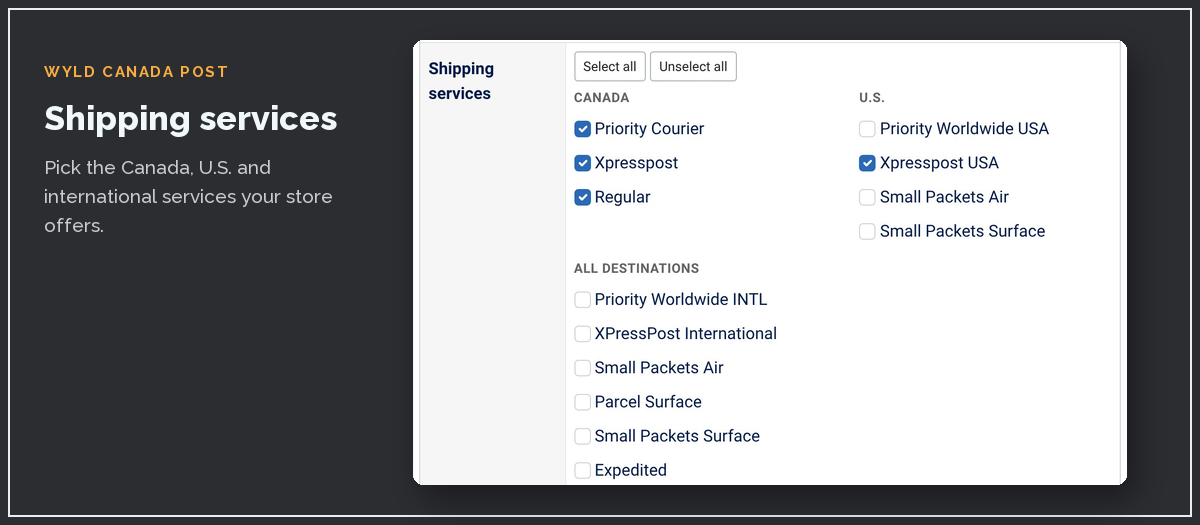
Wyld Canada Post Shipping 1.7.1 works with Joomla 5 and 6, quotes each box at its own weight, shows all Canada Post services again and fixes the pounds and inches bug above. Wyld Purolator Shipping 1.6.1 sends the province correctly for Canadian addresses and has the new box sizes table shown earlier. Both now carry on with your other shipping methods if the carrier doesn't answer, and both have a cleaner settings page.
You might know them by their old "E-D" names. We've renamed them to match the rest of our Wyld extensions, and their Joomla Extensions Directory listings will switch to the new names once our rename request goes through.
The setup guides for Canada Post and Purolator walk through the settings. And if you're also planning Joomla or PHP upgrades for your store this winter, our post on PHP 8.2 reaching end of life covers what to check first.